|
The tight authoring loop |
|
|
Changing a line in a document takes seconds. Making sure the change is safe can take minutes: rebuild the site, check the rendered page, format the source, and search the project for links that may have broken. |
Last month, we shared our work on reusable and conditional content. Directives, our new Python Markdown extension, is now available as an early-access release to our Zensical Spark members. |
Markdown preview and auto-formatting are this month's highlights, and both work with Zensical and MkDocs projects. We also invested in Studio's performance, so multi-project workspaces with more than 50,000 documents feel snappy. |
Markdown preview |
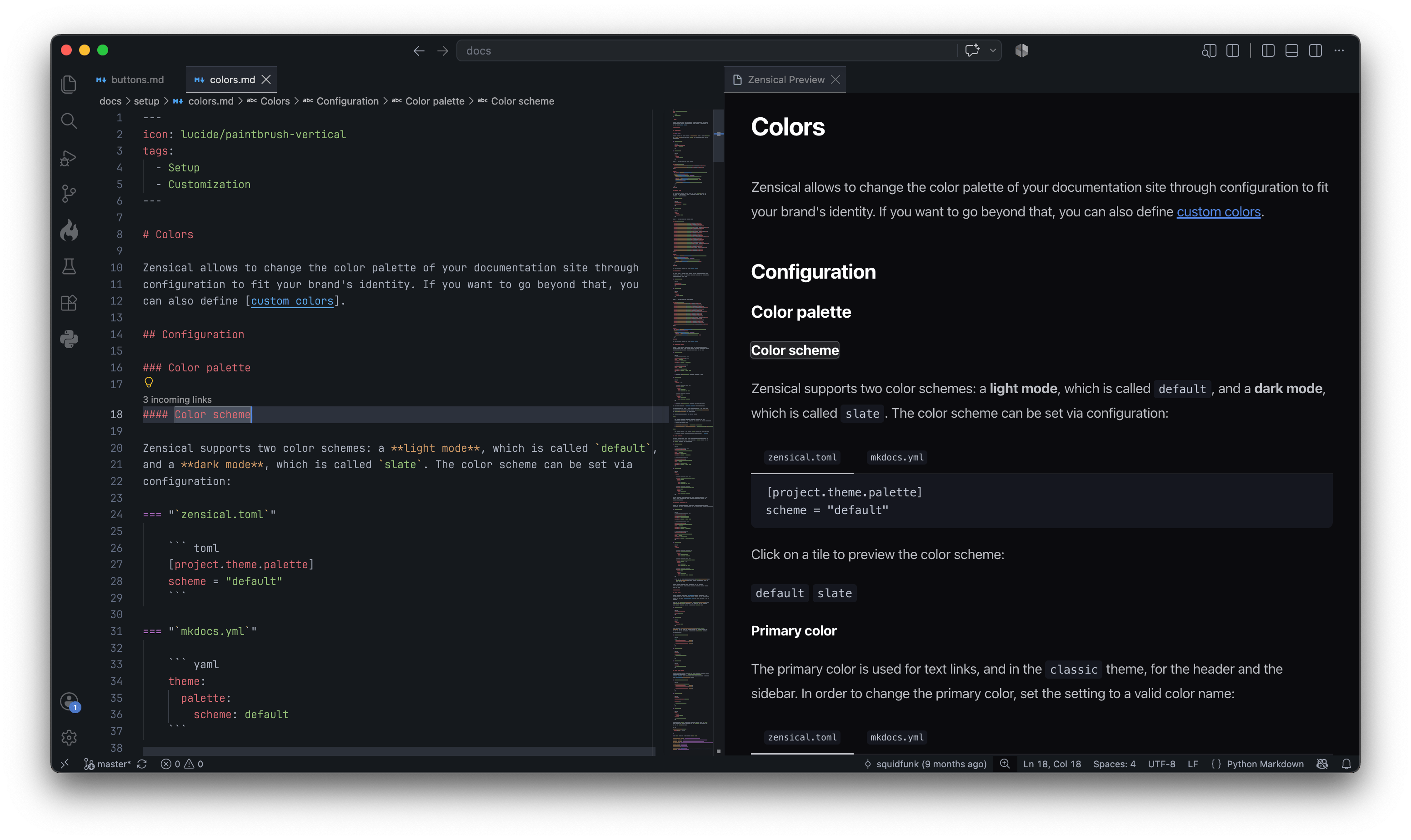
Studio now provides a live preview of your document. When a page includes content from another file, Studio shows it in the preview exactly where readers will see it. You see the finished page immediately instead of guessing what will happen after a build. |
|
Preview and source stay in sync. Click a link or anchor in the preview, and Studio opens the corresponding Markdown source in your editor. You can navigate your documentation as readers do, then make the change where it belongs. |
Markdown formatter |
Most formatters are built for CommonMark. Once a document contains nested content or Python Markdown extensions, they may not understand it well enough to format it safely. Many authors therefore avoid formatters altogether, or use them only for simple documents and manage the difficult structure by hand. |
|
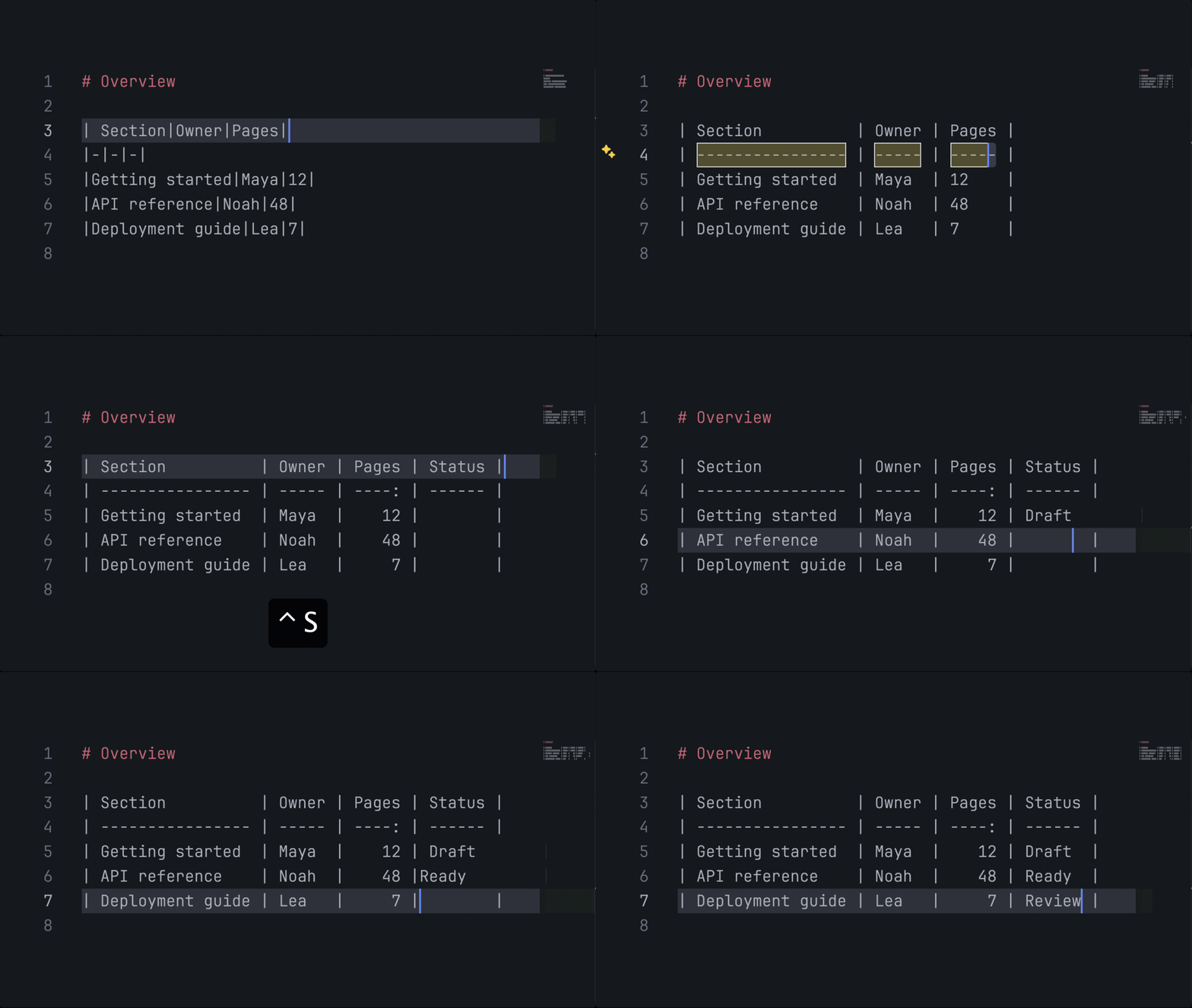
Tables are formatted automatically on [^S]ave.
|
Studio's new built-in formatter is designed for Python Markdown. It harmonizes whitespace and indentation, and groups and orders reference links and footnotes at the end of the document, so that your Markdown closely reflects the rendered page. Even better: edit a table, format on save – without spending time lining up pipes. |
Directives |
Sharing content should not make authoring harder. Directives adds includes and conditionals directly to Python Markdown, making reuse and variants first-class document elements rather than a separate snippet or macro system. |
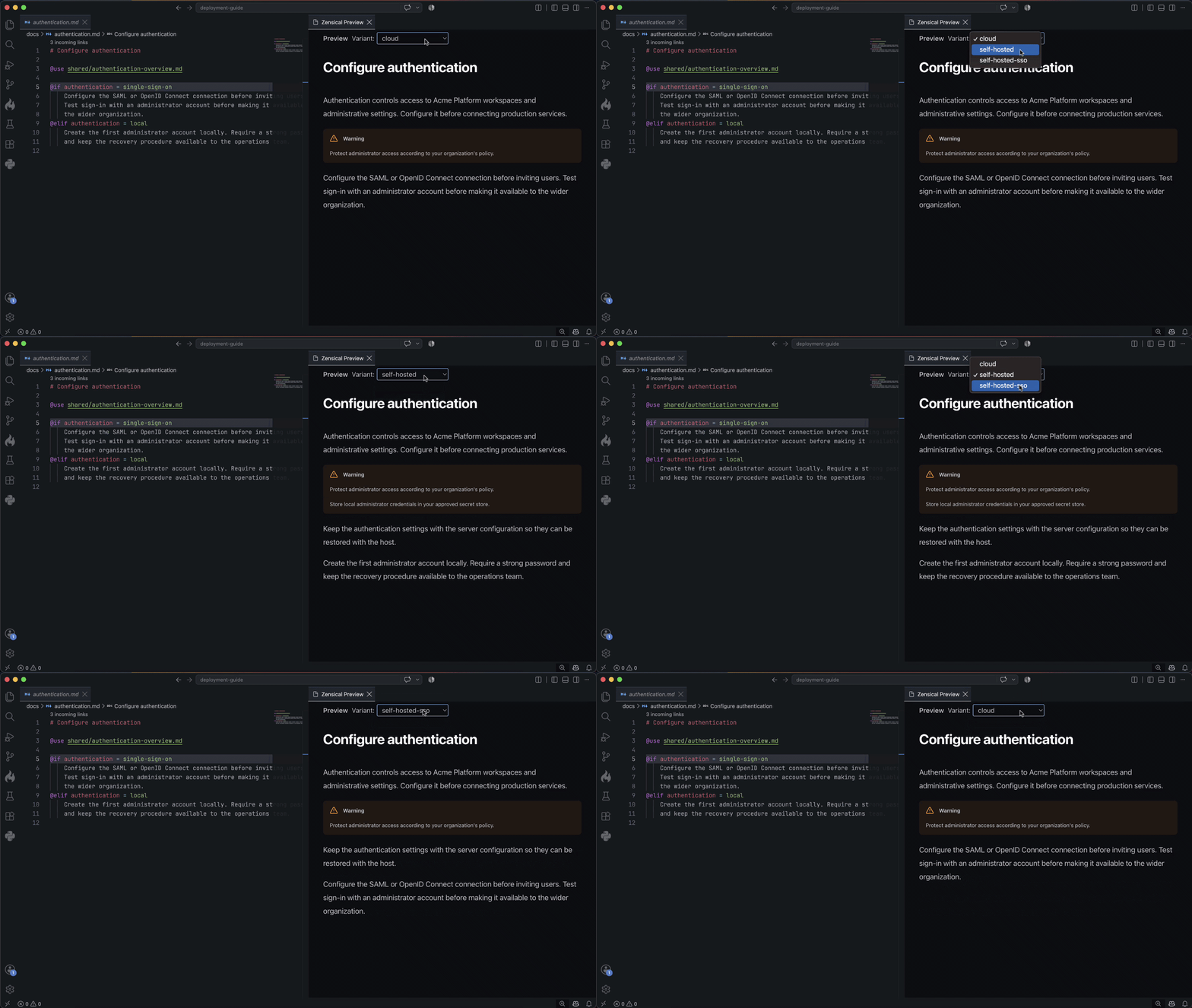
Studio's live preview now includes a variant selector. Choose a variant and it renders the corresponding page directly in your editor, with included content expanded where it is used. You can inspect the resulting page without leaving your editor. |
|
Switch between variants of a document in the preview.
|
Try it now – Directives is available in Zensical Spark and ready to use today. We'll continue to iterate on it before making it generally available. If your team maintains shared content across products, versions, or audiences, we'd value your feedback. |
If you don’t have access to Zensical Spark, you can still try Directives in Zensical Studio’s preview: switch between variants of a document directly in your editor. |
Safe editing, beyond headings |
Alongside many improvements and bug fixes, we shipped the following fundamental updates to Zensical Studio in the past month: |
- Studio indexes a workspace with 50,000 documents in 8 seconds (Video)
- Autorefs are now workspace symbols, behaving exactly as all other links (Video)
- Incoming links to elements with attribute lists are automatically updated (Video)
|
Are you missing functionality in Zensical Studio? Please create a change request! |
In other news |
- We released five new versions in the past month, most recently 0.0.53.
- Search now supports Chinese, Japanese, Korean and right-to-left languages.
- In the past month, Zensical Studio's user base doubled to 1,500 users.
- Around 85% of Studio activity happens during the working week.
|
What's next |
Most of the visible updates this month are in Studio, as we are building the stack as a whole rather than completing one layer at a time. Work toward 0.1.0 continues: we are closing the remaining compatibility gaps for MkDocs projects, so more teams can move with minimal friction. |
Your voice matters |
Studio is in Public Beta. If you stumble over a bug in the preview or formatter, please open an issue. We can't anticipate every Markdown construct or project setup, but if Studio handles yours inconsistently, we'll fix it as quickly as we can. |
And as always, if you have questions, ideas, concerns, or anything else on your mind, simply reply to this email – we read everything. |